
Create Your First Workout in Seconds Using the Live Timer
August 15, 2026
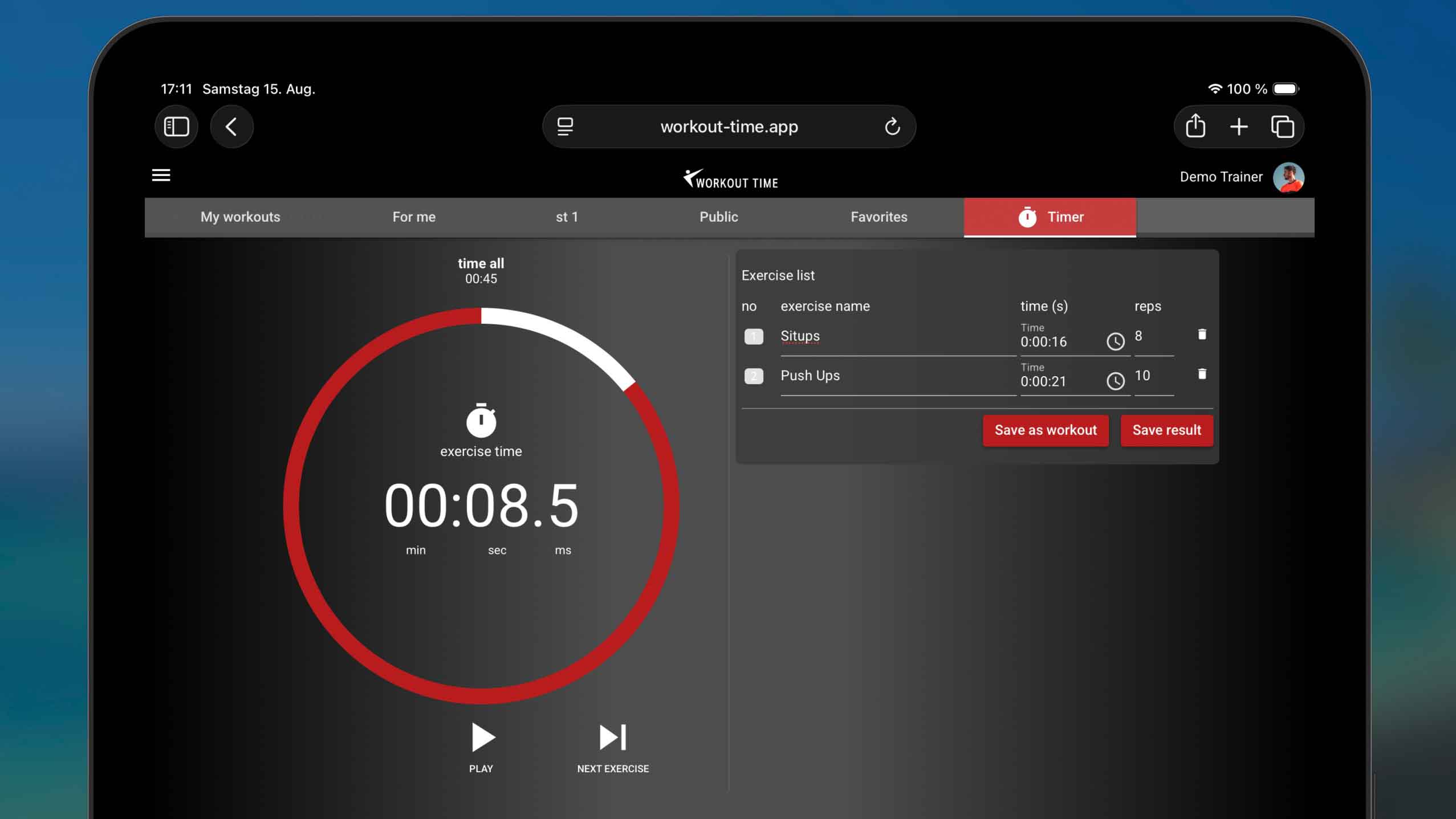
Creating a customized training plan doesn’t have to be complicated. With Workout Time, you don’t need to manually type in every single detail beforehand. Instead, you can simply use the built-in live timer to record your workout as you perform it, and turn it into a permanent template with a single click!
Here is how you can build a customized workout in just a few simple steps.
Step 1: Open the Timer Tab
When you are ready to start training, navigate to the Timer tab in the app. This is your blank canvas. Instead of selecting an existing routine, you will record your exercise sets live.
Step 2: Track Exercises and Reps Live
As you move through your workout:
- Start and Stop: Click start when you begin a set, and stop when you finish. The app automatically captures the exact duration of your activity.
- Log Repetitions: Enter the repetitions you performed and the weight used.
- Add Titles: Give each exercise a quick title (e.g., Bench Press, Squats, or Plank) so you can identify them later.
Step 3: Create Your Workout with One Click
Once you have finished all your exercises and completed your session, you can generate your training template immediately:
- Tap the Create Workout button.
- The app automatically collects all your recorded exercises, reps, and times, saving them as a structured workout routine.
Step 4: Add Premium Customizations
The best part is that you can now refine this basic structure to make it a fully-fledged workout tailored to your needs:
- Add Visual Media: Attach loop animations or videos to each exercise.
- Configure Voice & Audio: Add intro tips or setup countdowns.
- Fine-tune Parameters: Add extra sets, adjust rest intervals, or add tags.
💡 Remember to Log In: To save your newly recorded workouts permanently to your profile, make sure you are logged in. Try it out on your next training session!